Create a Sports Themed Poster


In the latest tutorial from onlinedesignteacher we will be creating our own sports silhouettes to create a sports themed poster for your event. The sample poster will portray a series of sporting actions to advertise an upcoming local sports day. Use the poster for your own club, company or business event or edit the template to suit another event. Along the way you will learn a variety of basic and intermediate level Photoshop tools and techniques.

Click HERE for the full tutorial.

Table Quiz Poster


In the latest tutorial from onlinedesignteacher we will be using mainly the text and shape tool to create a poster for a table quiz. The poster itself will portray a group of 4 people at a table with paper sheets in front of them, and thus simply representing a table quiz. Use the poster for your own club, company or business quiz or edit the theme to suit another event type. 

Click HERE for the full tutorial.

Back to School Photoshop Basics

Learn Photoshop
Whether you just want to refresh your Photoshop skills and memory or whether you are starting a new multimedia or design course or just for the fun of it we have everything you need right here at www.onlinedesignteacher.com.

Our Photoshop Basics section is the ideal place to start. As Photoshop is an extremely useful software no matter what area of design you are studying and because it is the gateway software of the Adobe Creative Suite it is vital, as a designer, that you know your way around it. So what are you waiting for click HERE to get started with Photoshop!

Create a Simple Cartoon Character

Looks confused, doesn't he! You don't have to be though, with our easy to follow tutorial on how to create a simple cartoon character. Have fun, learn some new tools and techniques in Photoshop and then create your own little cartoon character.


Logo Design Principles

logo design principles

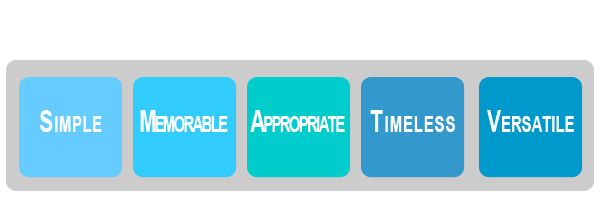
There are 5 basic principles in the area of logo design, collectively known as the principles of logo design; they state that a logo should be simple, memorable, appropriate, timeless and versatile. Each principles relates to a particular ideal of logo design and should be considered individually, however all the principles also relate to each other and it is when all the principles are used together that the best logos are created. For the full article and notes on the logo design principles, click HERE.

How to design and create your own logo


This tutorial is completed in Illustrator but all the tools and techniques used are also available in Photoshop.For the purposes of this tutorial we created a logo for a design company called 'Cut & Paste'. The design aims to reference the company name within the text styles and shapes used. To read the tutorial in full click HERE.